Your CRO asks why the new AI scoring model isn’t producing anything useful. You already know the answer. You just haven’t said it out loud.
The model is fine. The data it’s running on isn’t.
This is where many RevOps leaders are now.
CRM data has always been imperfect. Teams have managed around it with clean-up sprints, CSV exports and manual field updates when time allowed.
This approach worked when poor data created isolated problems:
A misrouted lead, an inaccurate segment or a report that needed manual correction.
It doesn’t work when the same data now feeds scoring models, workflow automation, forecasting tools and AI-driven revenue decisions.
This guide explains how to bring that layer under control.
You’ll learn what separates an effective data quality management tool from a generic one, which options are worth evaluating and how to audit your CRM before speaking to vendors.
1. Talend
Best for: data profiling, cleansing and integration at scale
/Competitors%20and%20other%20tools/Still%20to%20approve/Talend/talend-data-fabric-product-screenshot.webp?width=931&height=550&name=talend-data-fabric-product-screenshot.webp)
Talend is a strong data quality management tool for teams that need to profile, clean and standardise large volumes of data across multiple systems.
It helps data teams identify quality issues, apply controls and improve trust in the datasets used for analytics, reporting and operational workflows.
Talend’s data quality capabilities include profiling, cleansing and masking data across different formats and volumes.
It’s useful for organisations with complex data environments where quality issues start upstream, before data reaches the CRM or reporting layer.
For RevOps and data teams, Talend can help reduce inconsistent formats, incomplete fields and unreliable source data before those issues affect downstream decision-making.
2. Collibra
Best for: enterprise data governance and observability
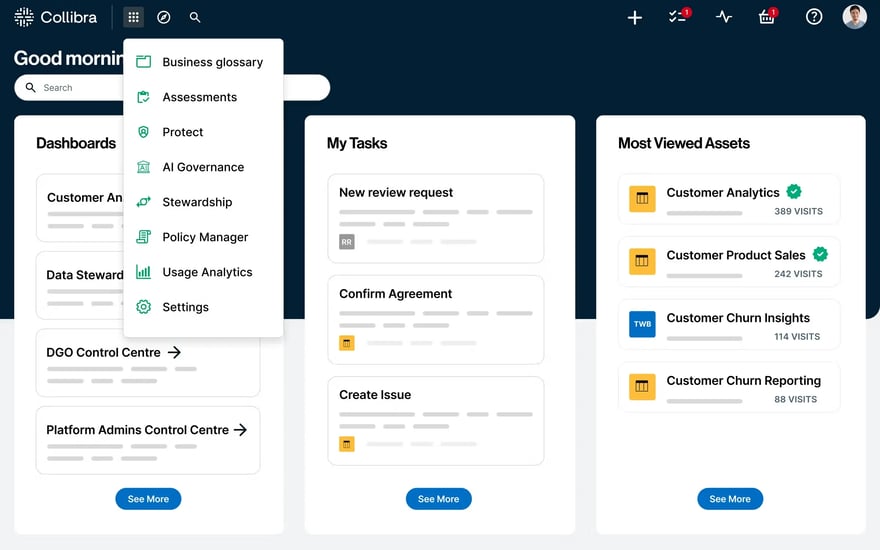
Collibra is suited to larger organisations that need data quality management software that encompasses governance and observability within a single operating model.
It helps teams monitor data quality, reduce downtime, and manage risk across data sources, making it useful for businesses with strict governance requirements and multiple data owners.
For revenue teams, Collibra is most valuable when CRM data quality is part of a broader enterprise data governance strategy.
It can help define ownership, improve visibility into data issues and create a shared framework for trusted data across departments.
3. Cognism
Best for: RevOps teams selling into Europe who want a live view of CRM data health and governed enrichment workflows.
/cognism-crm-enrichment-contact-before-after.webp?width=683&height=550&name=cognism-crm-enrichment-contact-before-after.webp)

Cognism is the strongest data quality management tool for revenue teams that need accurate, compliant B2B contact and company data inside their CRM. It helps teams enrich existing records, fill missing fields and keep key account and contact information current.
Cognism’s CRM enrichment is designed to keep CRM data accurate, complete and ready to act on, using compliant, high-quality B2B data.
The Cognism dashboard connects directly to Salesforce and shows you where your CRM data is incomplete, outdated, or missing, broken down by persona, segment, and region.
Before a single credit is spent, you can see exactly where enrichment will have the most commercial impact.
From there, enrichment follows a simple principle: see what’s broken, fix it, keep it fixed.
New contacts entering the CRM can be enriched automatically at the point of creation.
Existing records can be updated through scheduled or one-off jobs.
And because field-level controls sit with RevOps, not the vendor, enrichment improves data quality without touching the fields your team has decided to own.
Poor contact data affects segmentation, routing, forecasting, campaign performance and AI-driven workflows. Cognism provides revenue teams with a trusted data layer for these workflows, reducing reliance on manual research and improving confidence in CRM records from the start.
Cognism’s data strength is in Europe. For teams running outbound into EMEA, that means stronger coverage, verified mobile numbers, and compliance practices built around GDPR rather than adapted from a US-first data model.
Cognism gives teams the data foundation needed to plan, prioritise and execute with greater confidence.

Head of Sales @BearingPoint

4. Oracle Enterprise Data Quality
Best for: enterprise data quality in Oracle environments
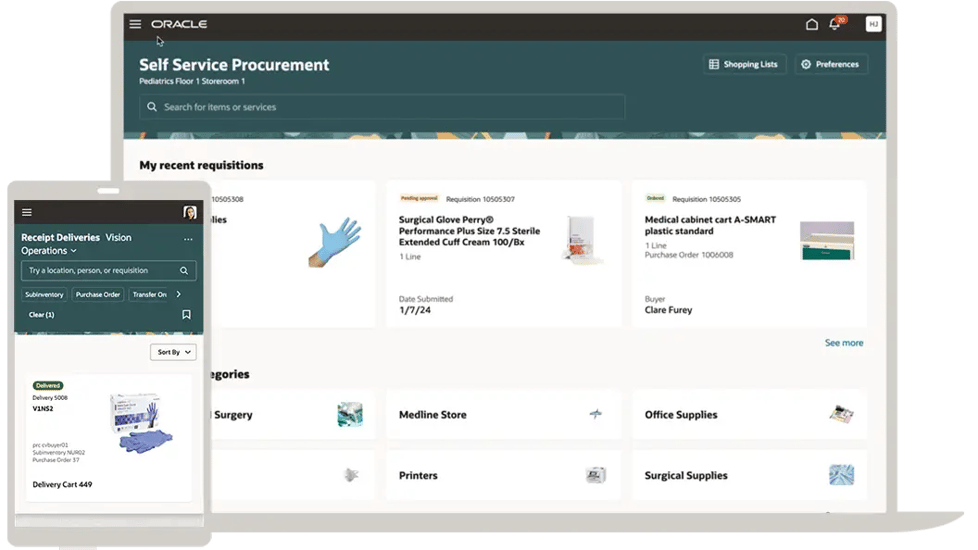
Oracle Enterprise Data Quality is built for organisations that need to understand, improve, protect and govern data quality across enterprise systems.
Oracle describes it as a comprehensive data quality management environment that supports master data management, data integration, business intelligence and migration initiatives.
It’s a strong fit for companies already invested in Oracle infrastructure and managing large volumes of customer, supplier or operational data.
For CRM and revenue operations, Oracle EDQ can help profile records, detect duplicates, identify inconsistencies and support cleaner data migration.
5. SAP Master Data Governance
Best for: master data quality in SAP-led organisations
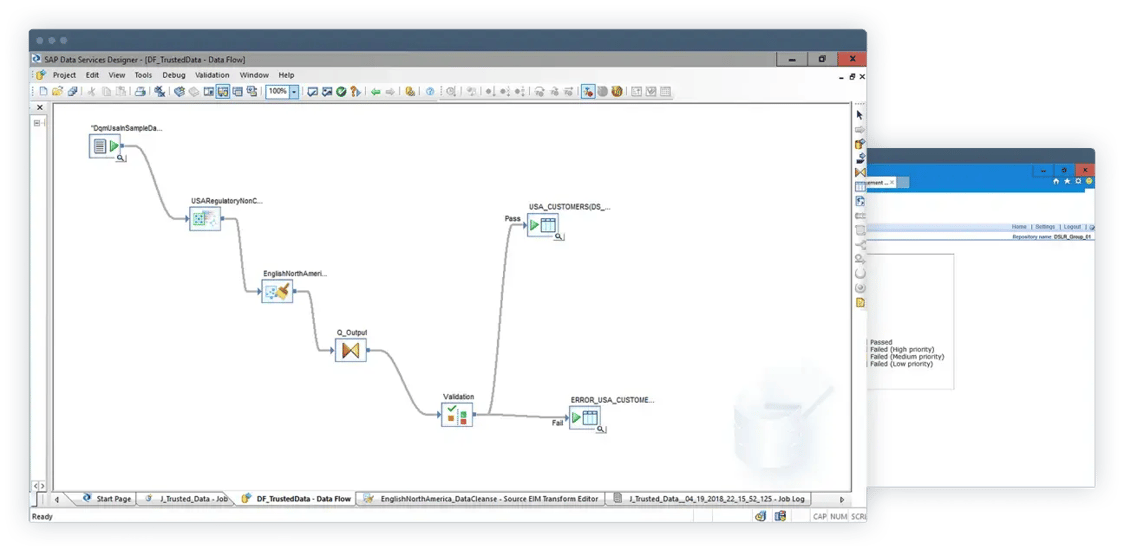
SAP Master Data Governance supports organisations that need to improve and govern business-critical master data from a central hub.
SAP positions it as a way to improve the quality of core business information through master data management and governance.
It’s particularly relevant for enterprises running SAP environments where customer, supplier, financial or product data must remain consistent across business units.
For revenue teams, SAP MDG is useful when CRM data quality depends on clean master data, agreed ownership and consistent governance across multiple systems.
6. Informatica
Best for: enterprise data quality and observability at scale
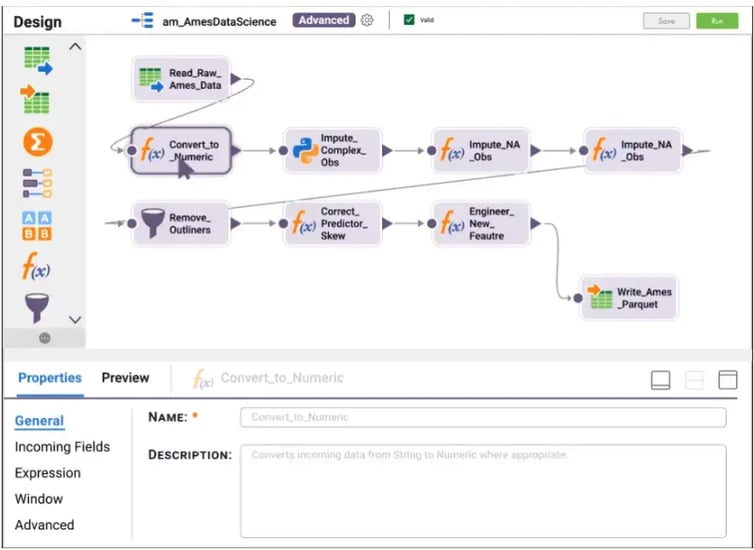
Informatica is a well-established data quality management software solution for organisations that need data quality and observability across critical business initiatives. Its platform is designed to help teams deliver accurate, trusted data at scale.
It’s well-suited to enterprise data teams managing complex data estates, including cloud platforms, warehouses, analytics tools and operational systems.
For revenue operations, Informatica can help improve the reliability of customer and account data before it flows into reporting, segmentation or AI models.
7. Ataccama
Best for: data quality, observability, catalogue and lineage in one platform
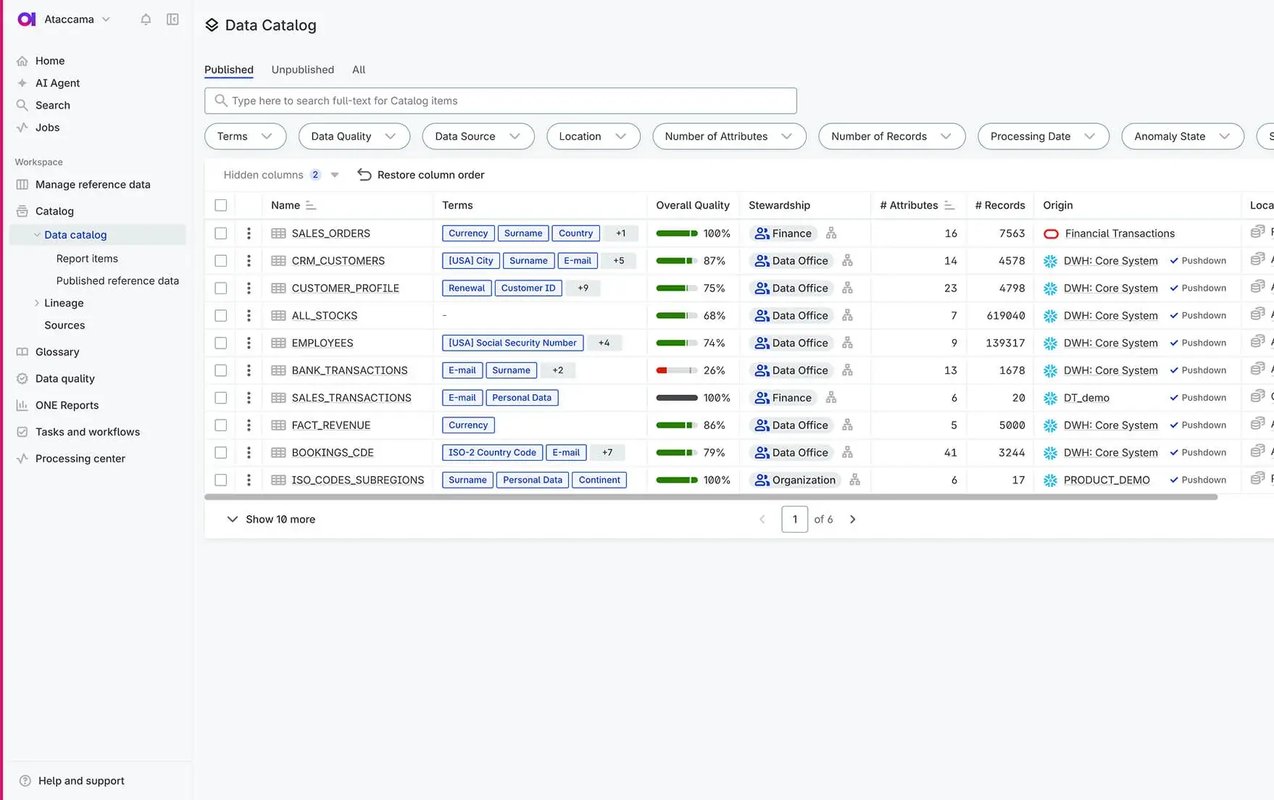
Ataccama is designed for organisations that want to connect data quality with observability, catalogue, lineage and AI-readiness.
Its data management platform combines these capabilities with an AI agent to support data trust across enterprise environments.
This makes it useful for teams that need more than one-off data cleansing. Ataccama can help organisations continuously monitor data quality, understand where issues originate, and improve trust in the datasets used for analytics, operations, and AI workflows.
8. Monte Carlo
Best for: data observability and pipeline reliability
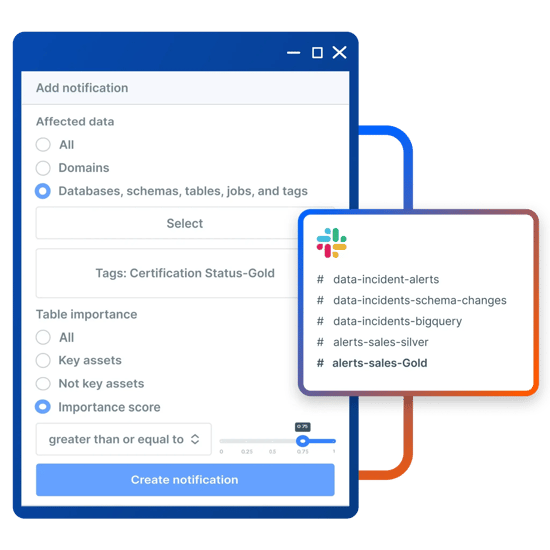
Monte Carlo is a data management tool focused on data observability. It helps data teams monitor the health of data pipelines, detect issues and understand root causes before problems affect dashboards, models or business processes.
Its platform provides end-to-end visibility across cloud warehouses, lakes, ETL and BI tools.
For revenue teams, Monte Carlo is useful when CRM and GTM reporting depend on data moving cleanly through a wider data stack. It helps catch freshness, volume, schema and quality issues before stakeholders lose confidence in reporting or AI outputs.
9. Great Expectations
Best for: open-source data validation and pipeline testing
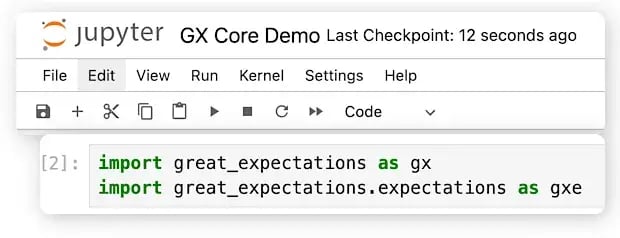
Great Expectations is an open-source data management framework for testing, validating and documenting data quality across pipelines and workflows.
It allows data teams to define expectations for data and check whether datasets meet those standards before they are used downstream.
It’s a good fit for technical teams that want flexible, code-based data quality checks.
Great Expectations can help validate schemas, null values, formats, ranges and business rules.
For revenue organisations, it’s most useful where data teams want to build quality checks directly into pipelines that support analytics, reporting or AI models.
10. ZoomInfo
Best for: US-first organisations with high-volume enrichment needs and a North American-heavy pipeline.
/Competitors%20and%20other%20tools/Still%20to%20approve/ZoomInfo/zoominfo-enrich-workflows.webp?width=640&height=475&name=zoominfo-enrich-workflows.webp)
ZoomInfo is considered enterprise data management software because it offers automated CRM enrichment at scale, real-time and bulk enrichment jobs, match rate dashboards, and a large contact database that’s strong in North America.
It can be useful for sales and marketing teams that need to refresh contact and account records at scale. For revenue operations, ZoomInfo helps reduce manual CRM clean-up and improve the quality of the data used in GTM workflows.
Where it may fall short is for EMEA-focused teams:
ZoomInfo is an American based company which charges extra for European data. And while it's GDPR and CCPA compliant, it only offers DNC list checking in 8 countries as opposed to Cognism which offers 15+.
For teams where EMEA is a primary growth market, this is worth testing directly rather than taking it at face value during a demo.

Operations Manager @demandDrive

FAQs
What to look for in a data quality management tool for CRM
Most “what to look for” checklists for data quality tools are written for data engineers.
This one isn’t.
These criteria are for revenue and operations teams evaluating tools for CRM use, and a few of them will quickly disqualify vendors.
A health view, not just an enrichment action
The best tools don’t just let you fix data. They show you where it needs fixing first.
A live view of CRM completeness, broken down by persona, segment, or region, is what separates a diagnostic platform from a point-and-click enrichment tool.
Without it, you’re enriching blind. You’re spending credits on records you haven’t prioritised and missing the gaps that are actually costing you pipeline.
Without this, you run enrichment jobs across the CRM and have no reliable way to know whether they moved the metrics that matter, or where to look next.
CRM-native integration (not CSV uploads)
If a tool requires you to export records, clean them externally, and re-import, it hasn’t solved your problem. It’s added steps to a process that was already too manual.
CRM-native integration means enrichment happens inside the CRM itself.
Records are updated directly, without the Ops team acting as the go-between. That’s the baseline requirement for any tool being evaluated for ongoing data health, not a one-off project.
Without this, data quality only improves when someone has time to run the export. Which means it rarely improves.
Governance and field-level controls
Enrichment without data governance is a risk. If a tool can overwrite any field it has data for, you’re one misconfigured workflow away from corrupting records your team trusts.
Think about the lifecycle stages, owner assignments, and custom scoring fields that took months to calibrate.
The tools worth using give RevOps precise control over which fields can be updated, by which workflows, and under what conditions.
You protect the fields that matter while still enriching contact and firmographic data to improve reachability.
Without this: enrichment runs, something important gets overwritten, and trust in the tool and the CRM takes a hit that’s hard to recover from.
European data coverage and GDPR compliance
For teams selling into EMEA, this is a disqualifier, not a differentiator.
Many data providers are built primarily for North American contact data. European coverage is thinner, compliance practices are retrofitted rather than native, and DNC handling often doesn’t reflect the regulatory reality of operating in the UK, Germany, or France.
If Europe is a meaningful part of your growth strategy, GDPR-first data practices need to be on your shortlist criteria, not hidden in the small print after you’ve signed.
Without this, you’re enriching European contacts with data that wasn’t sourced in compliance with the law. Your legal and security teams will find out eventually. Just not at a convenient moment.
Prioritised enrichment, not blanket coverage
Enriching every contact record in your CRM sounds thorough. In practice, it’s usually wasteful and sometimes counterproductive for data management.
Credits spent refreshing low-priority contacts are credits not spent on the buyers who matter most.
Tools that enable persona, segment, or ICP-targeted enrichment let you focus on where the commercial impact is highest: active pipeline, key accounts, and buying committee members.
Without this, enrichment becomes a volume play that looks impressive in reporting and delivers less than expected in pipeline outcomes.
/CTAs%20(SEO)/choose-a-vendor-homepage-blog-cta.webp?width=4687&height=1656&name=choose-a-vendor-homepage-blog-cta.webp)
What is the difference between data quality management and CRM enrichment?
Data quality management is the broader discipline - ensuring data is accurate, complete, and consistent across systems, whether they’re a CRM, a data warehouse, or an enterprise data estate.
CRM enrichment is one specific practice within it - adding missing or updated information to CRM records using an external data source.
Most revenue teams need CRM enrichment.
“Data quality management” as a category also covers enterprise governance tools built for data engineers - a very different buyer solving a very different problem.
The distinction matters when you’re evaluating tools, because the right answer for a RevOps team and the right answer for a data infrastructure team rarely overlap.
What’s the best data quality management tool for EMEA teams?
European data coverage and GDPR-native compliance practices mattermost when entering new markets.
These aren’t the same thing. A provider can have European contact data without having built their data collection and consent processes around GDPR from the ground up.
In markets like Germany, France, and the UK, enriching contacts with data that wasn’t compliantly sourced creates regulatory exposure - the kind your legal and security teams will flag eventually.
Cognism is built for this use case, with European-strong data and compliance practices designed around GDPR rather than retrofitted to it.
Can you manage CRM quality without a dedicated data management tool?
Yes, but not sustainably at scale.
Manual clean-ups, periodic CSV exports, and SDR-led field updates can maintain a baseline for a small team with a small CRM.
They don’t scale, and they create exactly the operational drag thatdata quality tools are designed to remove.
The real cost of the manual approach is the RevOps team becoming the human data pipeline, which means data quality only improves when someone has the capacity to prioritise it, and degrades the moment they don’t.
How do I make the internal business case for a data quality management tool?
The most effective business cases connect data quality directly to a metric leadership already cares about.
Connect rates and meeting booking rates are a good starting point. If your SDRs are dialling numbers that don’t work, that’s a revenue efficiency problem with a measurable cost.
Pipeline integrity is another. If your CRM data decays at the industry-average rate, a significant portion of your forecast is based on records that no longer reflect reality.
And if your organisation is investing in AI workflows - scoring, routing, LLM-powered outreach - the business case almost writes itself.
AI built on bad data produces bad outputs. Data quality is the foundation on which AI investment depends.
Build a trusted CRM data foundation with Cognism
Cognism gives revenue teams a trusted B2B data layer for CRM enrichment, data health visibility and governed revenue execution.
With accurate, compliant European contact and company data, Cognism helps teams identify gaps in your CRM, enrich priority records and keep critical buyer information current.
Use Cognism to strengthen your CRM data foundation before poor-quality records compromise pipeline, forecasting and automation.
Book a demo to see how Cognism helps revenue teams improve CRM data quality.
/CTAs%20(SEO)/daas-cta.webp?width=1500&height=530&name=daas-cta.webp)